
Comparison
Wispr Flow vs Superwhisper
Both turn speech into text anywhere on your Mac or iPhone. The real difference is where your voice gets processed, and that decides the rest.
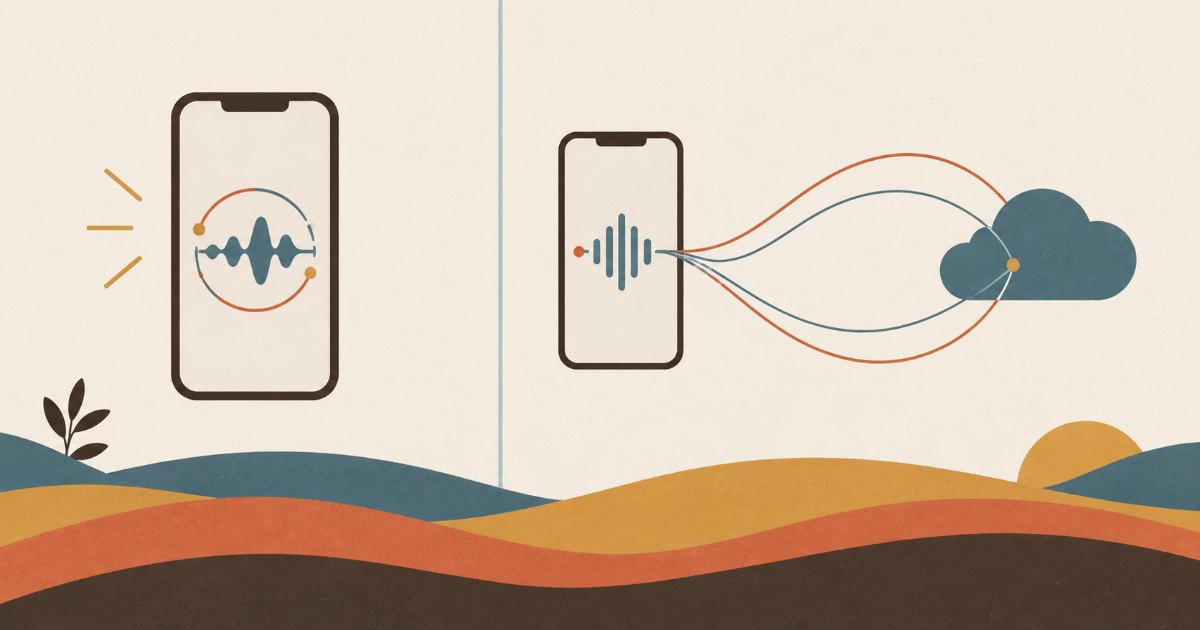
Both of these do the same job: you talk, and clean text lands in whatever app you were using. If you want the short version, Wispr Flow is the more polished cloud product and Superwhisper is the one that can run entirely on your own machine.
Everything else follows from that one difference, including the price, the offline behaviour and which one you can use on a plane.
The two products at a glance
 Wispr Flow Wispr Flow |  Superwhisper Superwhisper | |
|---|---|---|
| Maker | Wispr AI | SuperUltra |
| Platforms | Mac, Windows, iPhone, Android | Mac, Windows, iPhone |
| Where audio is processed | Cloud | On device, or cloud if you choose |
| Works with no connection | No | Yes |
| Free tier | 2,000 words a week desktop, 1,000 iPhone | 3,000 words, then reduced features |
| Paid | $15 a month, $12 annual | $8.49 a month, $84.99 a year, and a lifetime option |
| Bring your own model | No | Yes, your own API keys |
| App Store rating | 4.8 from about 16,000 | 4.4 from about 800 |
| Best for | The least fuss, the best default output | Offline work, privacy, control over models |
Prices and ratings were checked on 6 September 2026 and both products move quickly.
The axis that actually decides it
Almost every comparison of these two turns into a list of features. It is simpler than that. Ask one question: are you willing for your voice to leave the device?
If the answer is yes, Wispr Flow is the better product. Sending audio to a large hosted model is why its output arrives already punctuated, already stripped of “um”, and already reformatted into something you can send. That is hard to match locally, and 16,000 ratings at 4.8 is what it looks like when a product does one thing well.
If the answer is no, or is sometimes no, Superwhisper is the only one of the two that answers. It downloads models and runs them on your machine, which means it works with no connection at all: on a plane, on a train through a tunnel, in a building with no signal. It also means the audio of you talking about a client never goes anywhere.
Where each one is genuinely better
Wispr Flow is better at the default. Install it, grant the permissions, and the first thing you dictate comes out right. It is the more finished product and it has the larger team behind it, having raised a $280 million Series B in August 2026 at a $2 billion valuation. It is also the only one of the two on Android.
Superwhisper is better at control. You choose the transcription model and the language model that cleans up the text, including connecting your own API keys, so you are not tied to whatever the vendor picked this quarter. It is SOC 2 Type II certified. And the lifetime licence is a genuinely different shape of purchase in a category where everything else is a subscription.
The price gap is real but smaller than it looks. Wispr Pro at $12 a month annually is $144 a year against Superwhisper’s $84.99, so about $59 a year apart. That is not nothing, and it is also not the reason to pick one.
The free tiers are not comparable
Both say “free” and they mean different things.
Wispr Flow’s free plan is a weekly allowance that refills: 2,000 words on desktop, 1,000 on iPhone. You can stay on it forever at a low volume, and you will hit the ceiling on a phone quickly.
Superwhisper gives you 3,000 words once, after which the basic features keep working indefinitely with the more advanced modes behind Pro. It is closer to a generous demo that degrades than to a permanent small allowance.
Neither is a trap. They are just answering different questions, and if you are testing both in the same week, know that you are not comparing like with like. If the weekly allowance is what matters most, Typeless gives 8,000 words a week on every device.
Which one to pick
Pick Wispr Flow if you mostly work online, you want the best output with no configuration, you are on Android, or you want the meeting notetaker it bundles on Mac and Windows.
Pick Superwhisper if you work offline often, you would rather your audio stayed on your machine, you want to choose your own models, or a one-time payment suits you better than another subscription.
If you cannot decide, the honest tiebreak is that both have real free tiers and both take about five minutes to install. Run each for a week on the machine you actually work on.
What neither of them does
Worth saying, because it is the thing that surprises people a month in.
Both of these are input layers. They put text where your cursor is and then they are done. Neither keeps a record, and neither is trying to: a dictation tool that decided where your words belonged would be a worse dictation tool.
That matters more than it sounds, because dictation changes your behaviour. Talking runs at about 150 words a minute against 40 for typing, so once it is installed you capture things you would previously have let go. The forty seconds after a coffee, the thought on the walk back, what someone told you about their reorg. All of it now gets written down, quickly and well.
And all of it lands wherever the cursor was. Three of those paragraphs about the same person end up in three different apps, none of them connected to each other, none of them findable by the person’s name unless you happened to type it. The tool that made capture cheap did not make retrieval any easier, and retrieval is what you actually need before you see that person again.
That is the gap Intriq fills rather than competes for: keep using whichever of these two suits your machine, and let the notes that are about people file to the people. For the fuller version of that argument see what a voice keyboard leaves behind and voice notes for relationship memory.
Key takeaway: Wispr Flow is the better default and needs a connection. Superwhisper runs locally, works offline, costs less and lets you pick your models. Decide on whether your voice should leave the device, and the rest of the comparison answers itself.
FAQ
Is Superwhisper better than Wispr Flow?
Neither is better outright. Wispr Flow produces better output with no configuration because it uses hosted models, and Superwhisper is the only one of the two that works with no connection and can keep audio on your device. Pick on whether offline and local processing matter to you.
Which is cheaper, Wispr Flow or Superwhisper?
Superwhisper. It is $8.49 a month or $84.99 a year against Wispr Flow’s $15 a month or $12 a month billed annually, and Superwhisper also sells a lifetime licence. The yearly gap is about $59.
Does Superwhisper work offline?
Yes. It downloads speech models and runs them on your machine, so dictation works with no connection. Cloud models are available as an option if you prefer them for a particular task.
Does Wispr Flow work offline?
No. It processes audio in the cloud, which is a large part of why its default output needs so little correction.
Do either of them work on iPhone?
Both do. Wispr Flow also has an Android app; Superwhisper does not. On iPhone, note that Wispr Flow’s free weekly allowance is 1,000 words, which is its smallest.
Can I use my own AI models?
With Superwhisper, yes: you can connect your own API keys and choose both the transcription model and the language model that tidies the text. Wispr Flow does not offer this.
What happens to the notes I dictate?
Nothing, in the sense that neither tool stores them. Both deliver text into whatever app has focus and keep no record of their own, so where your dictated notes live is a decision you are making implicitly every time you use one. Intriq is built for the part of that which is about people: spoken notes attach to the person they concern and stay findable by name months later.